 ×
ada
×
ada
Email module
for ADA.
Email Broadcast embedded inside the ADA Business Messaging Platform, powered by Mailtarget sending infrastructure. ADA subscribes, then sells email as part of its multichannel platform.
 ×
ada
×
ada
Mailtarget becomes
ADA's email layer.
ADA does not need to build an email engine of its own. ADA subscribes to Mailtarget, then offers the email feature on top. The Email module appears inside the ADA dashboard and is used directly by ADA's enterprise clients — alongside the WhatsApp and Line channels they already run.
Embedded, not separate.
The Email module is a widget hosted by Mailtarget, attached inside the ADA dashboard. Light integration effort for ADA.
Email Broadcast.
Send to a list or Customer 360 segment, pick a template, generate the HTML email, view reports. A standalone module.
Multi-tenant.
Each ADA client adds its own sending domain and holds quota under ADA's enterprise master account.
×
ada
What gets built first.
Email Broadcast, standalone.
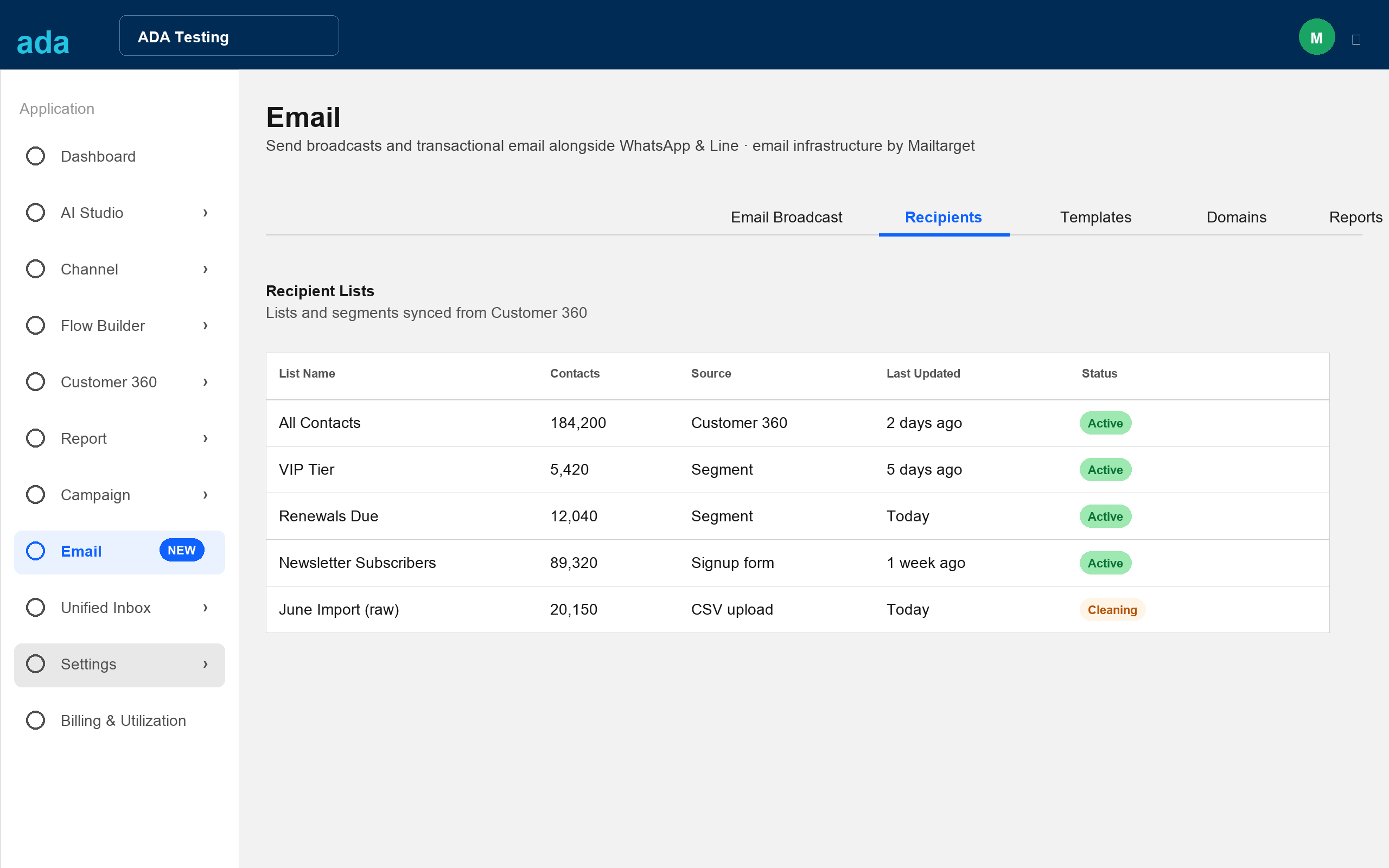
Recipients are picked from Customer 360 lists or segments, send, then report. Contacts are read from ADA's Customer 360, not stored at Mailtarget.
Workflow, Click to Email, transactional.
Email steps inside Flow Builder, a send-email action from a Customer 360 contact, and transactional delivery — statements, renewals, e-policy — for ADA's banking and insurance clients.
Email is the one channel the platform doesn't have yet. ADA today runs WhatsApp and Line. Adding email gives one platform, one audience, and a low-cost channel for high-volume sends — with deliverability and quota controlled through one door, Mailtarget.
×
ada
A new "Email" module, between Campaign and Unified Inbox.
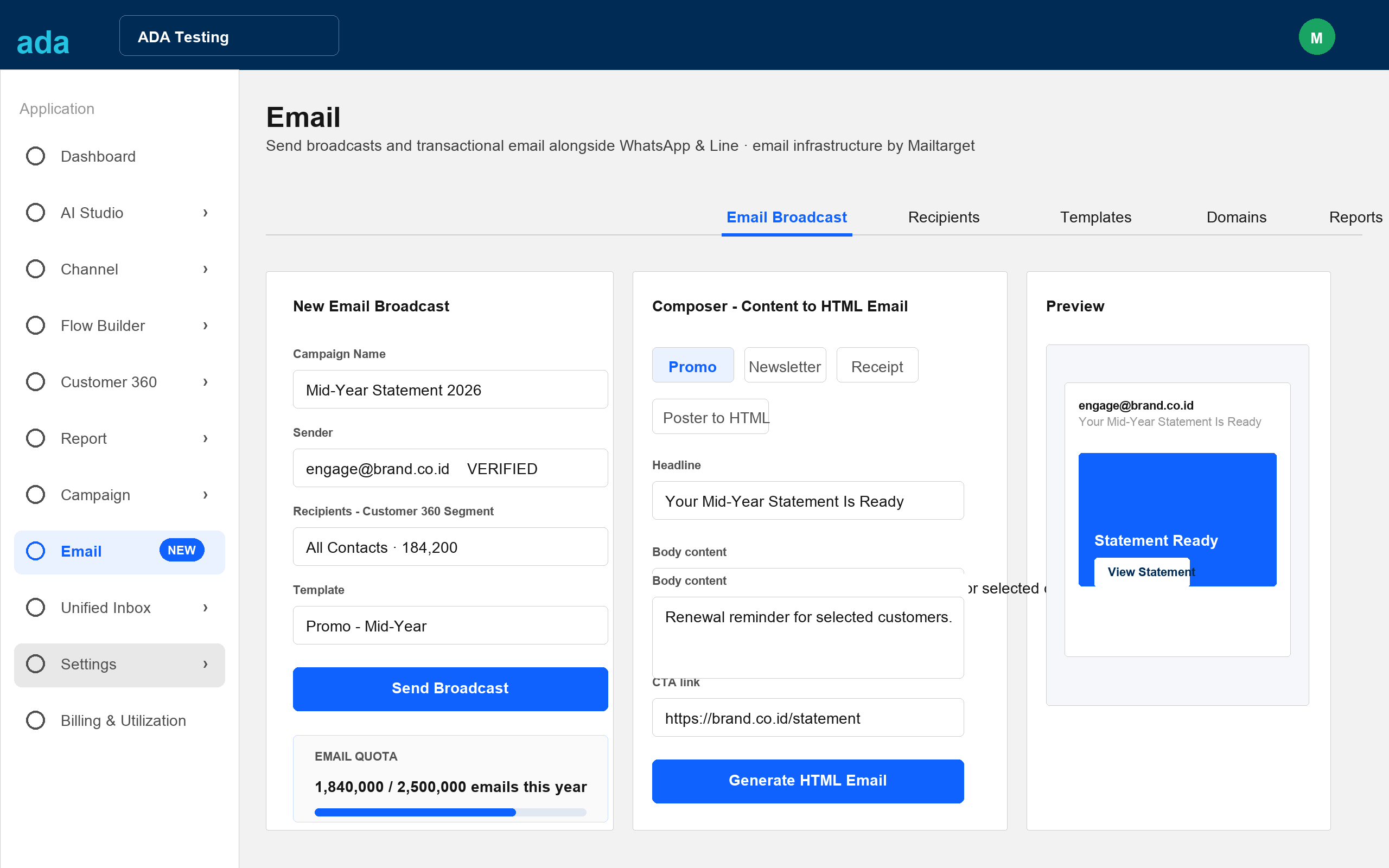
A top-level channel of its own — not buried in a submenu. Per-tenant sending-domain setup lives under Channel as supporting configuration.
×
ada
ADA subscribes, then
builds on top.
One master account, annual quota.
ADA bundles the email feature into the packages it sells to enterprise clients. Client pricing is set by ADA.
Own domain and quota.
ADA's clients add their own sending domains under ADA's master account. Tenant data stays separate.
In-house MTA, sending, deliverability.
Domain authentication, reputation, and quota accounting are handled by Mailtarget. ADA packages and sells.
The same pattern Mailtarget runs with platform partners: subscribe, then build features on infrastructure that already works.
×
ada
From provisioning to reports.
Auto-provision
When a tenant opens the Email module for the first time, a sub-account is created automatically via ADA's partner key. No manual setup.
Add domain + verify
The tenant adds a sending domain, receives DNS records (SPF, DKIM, DMARC, tracking), then verifies. The verified domain becomes the sender.
Broadcast goes out
Sent through Mailtarget's MTA using the tenant's domain. Quota is deducted from ADA's master. Opens, clicks, bounces flow back into the module.
Contacts from Customer 360
The widget reads lists and segments from ADA's Customer 360. No permanent contact storage at Mailtarget; recipients are passed at send time.
Content becomes an HTML email
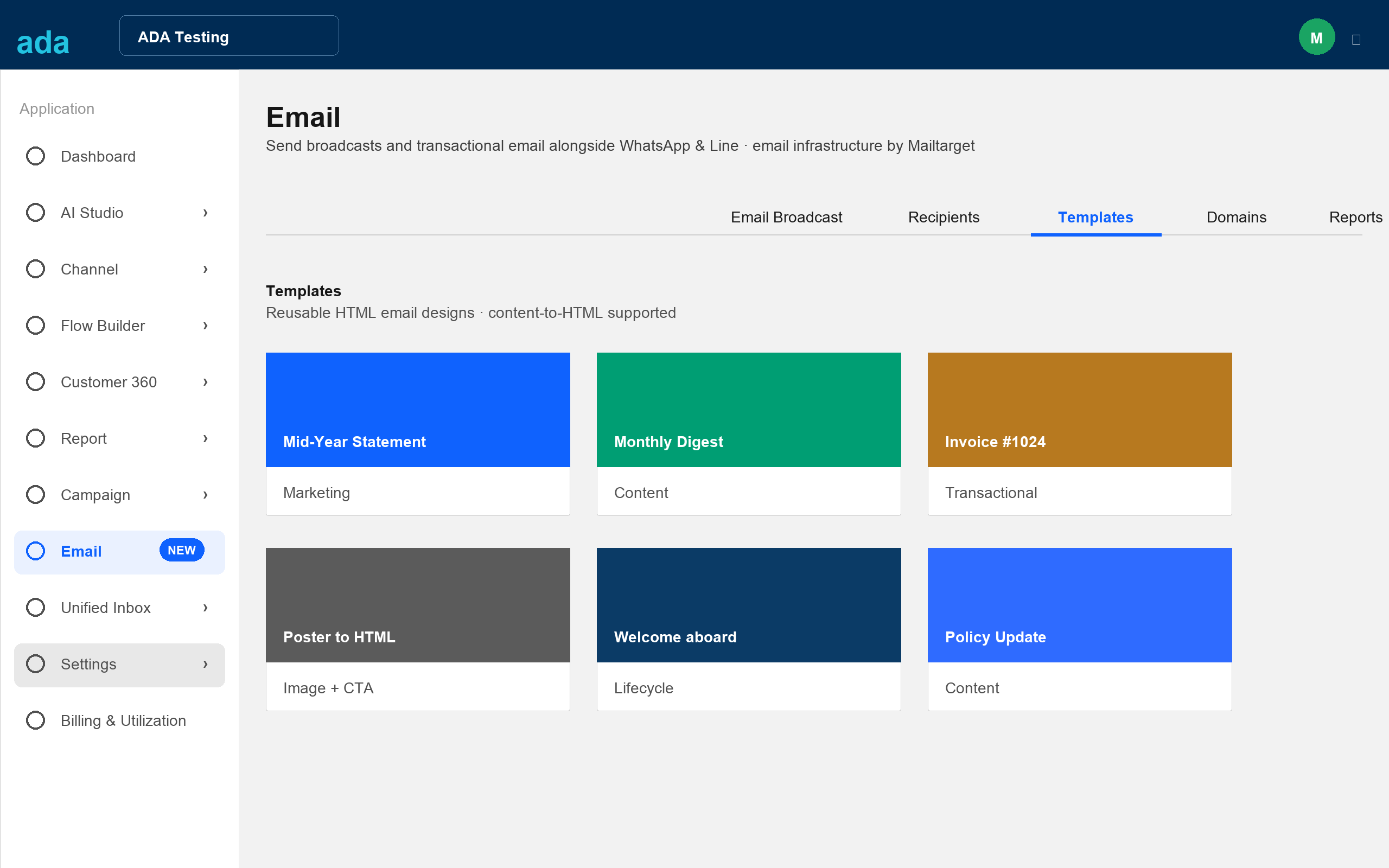
Pick a template (Promo, Newsletter, Receipt, Poster to HTML), fill in headline, body, image, CTA, then generate.
Date-range filter
Presets of 7, 30, 90 days or custom. Large campaign data is not loaded all at once.
×
ada
One iframe and one token.
Mailtarget carries the rest.
<iframe src="https://<widget-host>/embed?token={TENANT_TOKEN}" />
# ADA backend mints a signed tenant token (JWT): tenant id + scope
sign(payload, $SHARED_SECRET)
# One partner key from Mailtarget, stored in the backend
- Add an "Email" item to the sidebar, between Campaign and Unified Inbox.
- Billing and packaging into ADA's plans.
Embed is the fastest path to launch. A native API path (ADA's team builds its own pages on Mailtarget endpoints) is available as a later phase.
- The entire module UI (Broadcast, Recipients, Templates, Domains, Reports) and the composer.
- Auto-provisioning of tenant sub-accounts on first open.
- Sending, deliverability, domain auth, quota accounting.
- Short-lived tokens, scoped per tenant.
- The widget UI follows the ADA dashboard look.
×
ada
Compose, preview, send in one screen.
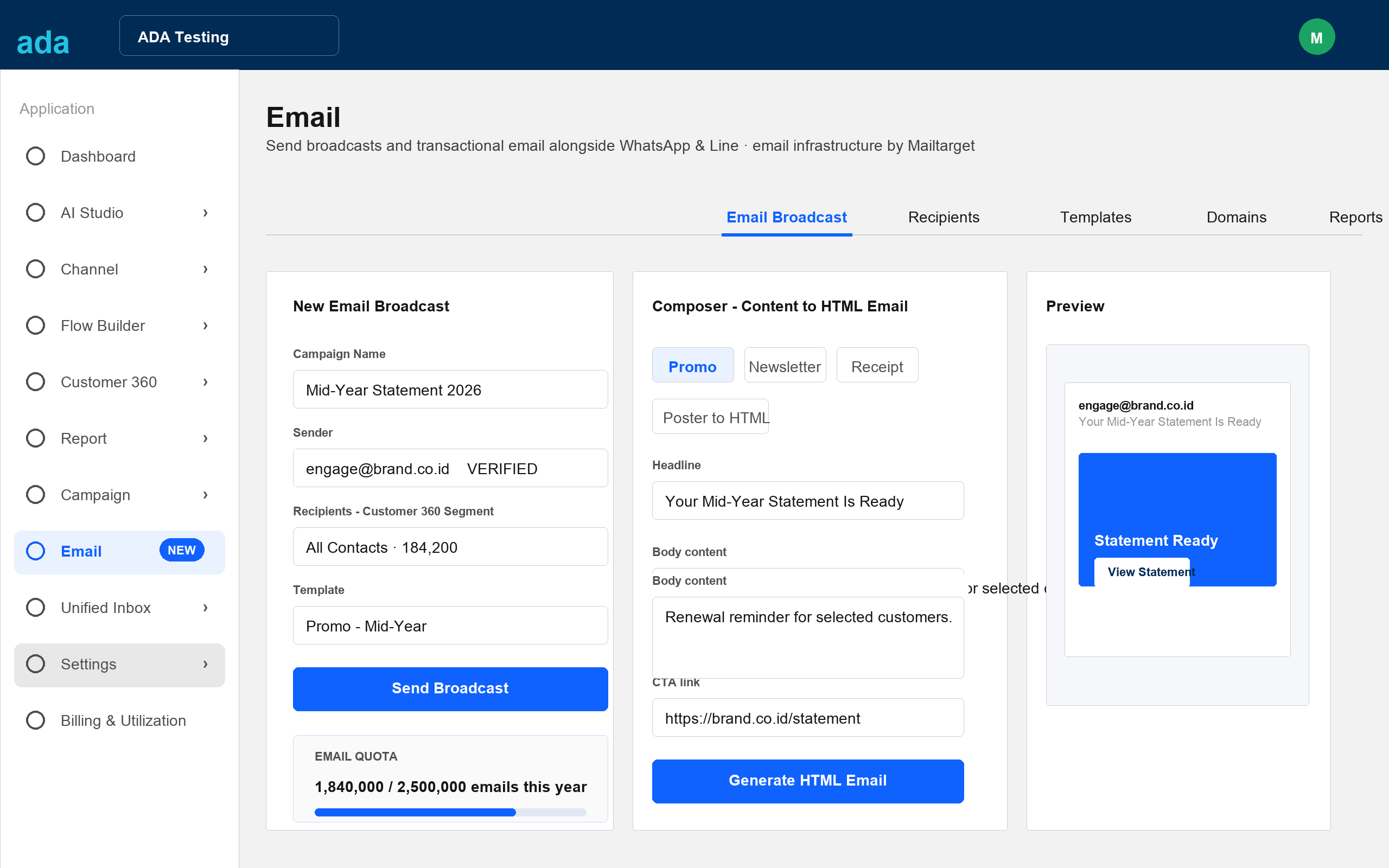
Three panels
Broadcast form, content-to-HTML composer, and preview, side by side.
Quota awareness
A quota meter sits in the broadcast form. Users see remaining annual quota before sending.
Preview modal
The Expand button opens the email at full size, with desktop and mobile toggles. Optional before sending.
×
ada
Contacts and ready-to-use templates.
 ×
ada
×
ada
Each tenant adds its own domain.
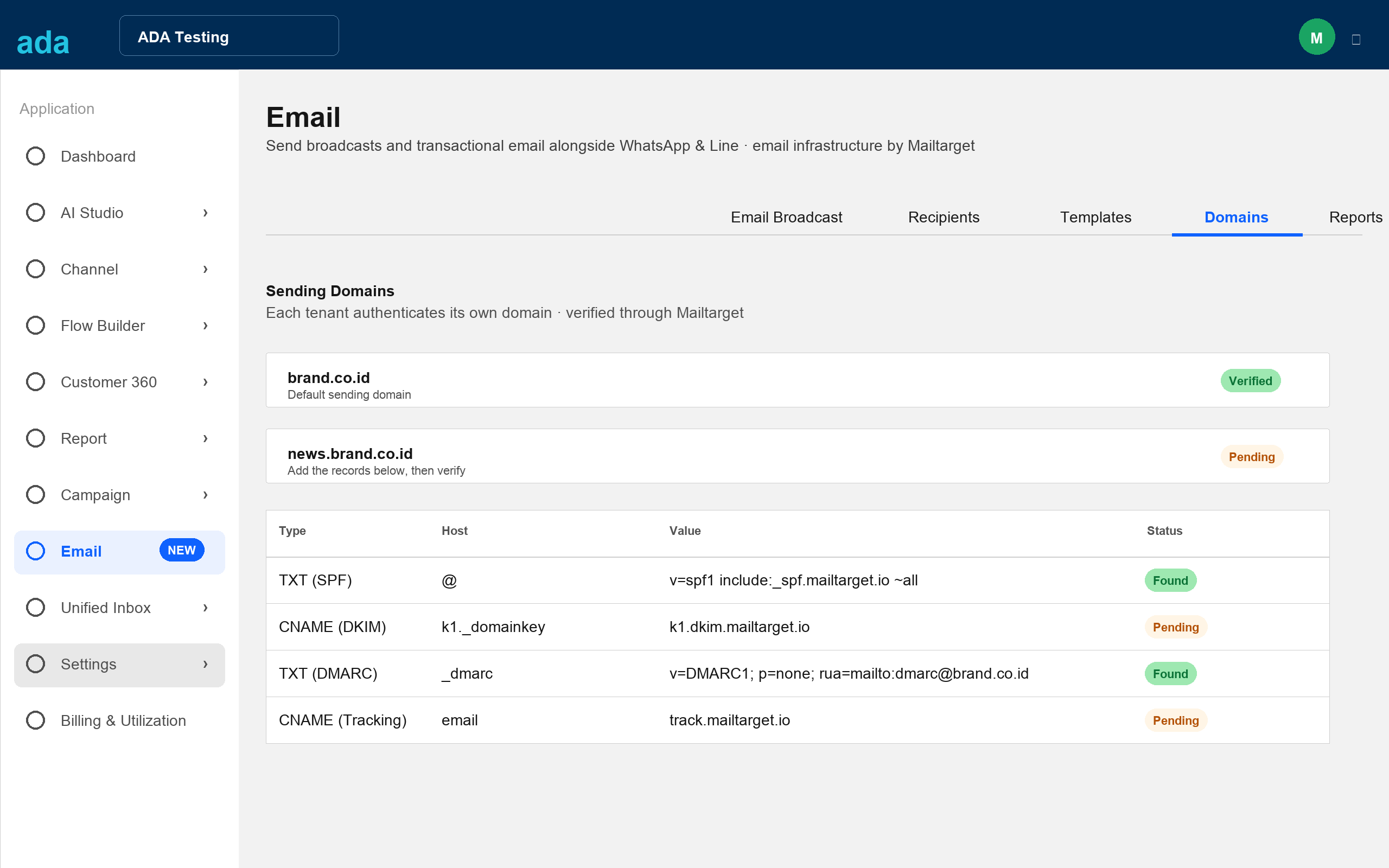
Self-service
Clients add their sending domain straight from the module, no support ticket.
DNS records
SPF, DKIM, DMARC, and tracking records are provided for the tenant's zone.
Verification status
Once the records are found, the domain is verified and ready to use as a sender.
×
ada
Reports with a date-range filter.
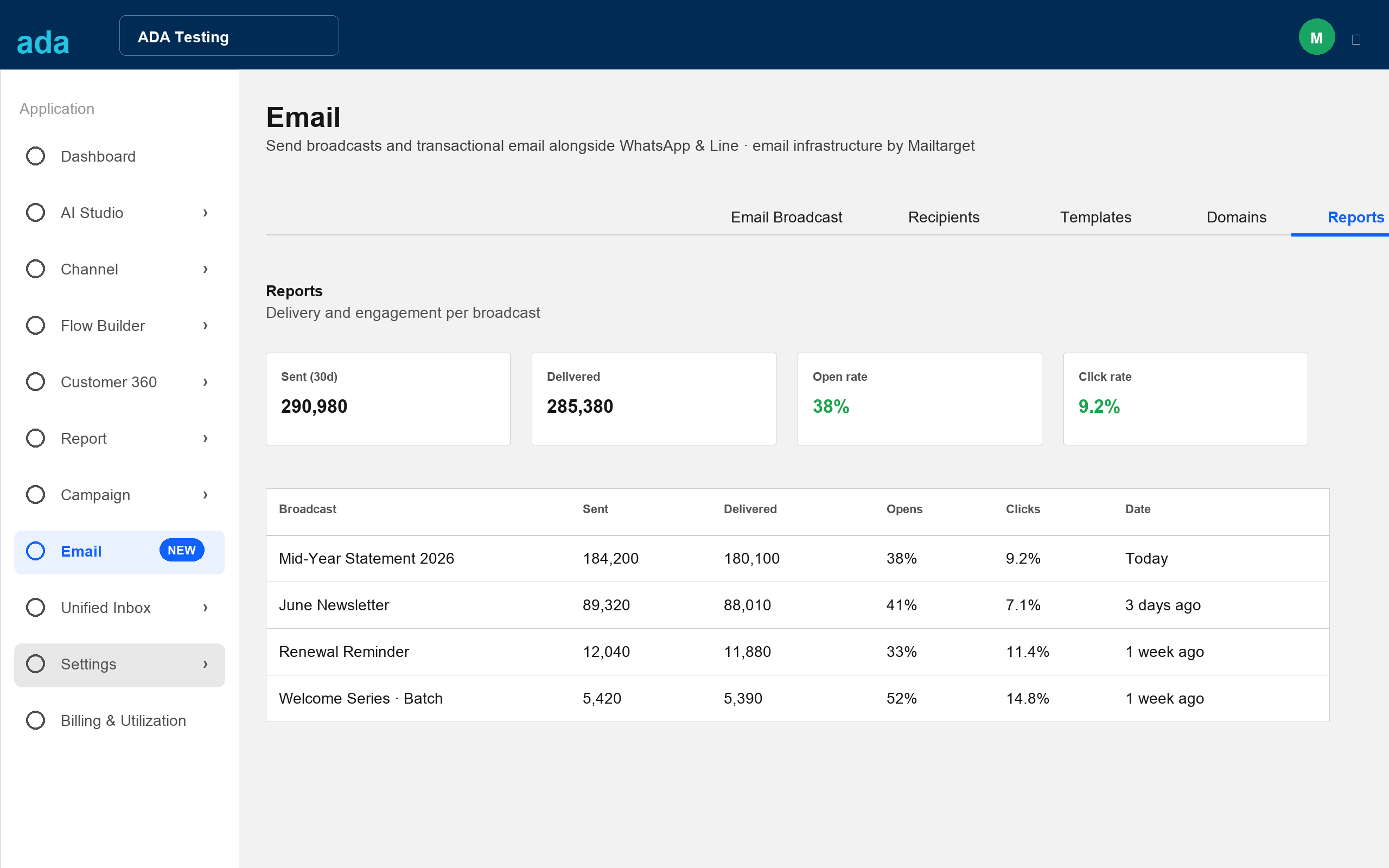
Summary
Sent, delivered, open rate, and click rate within the selected range.
Date filter
Presets of 7, 30, 90 days or custom. Many campaigns are not loaded all at once.
Per broadcast
Opens, clicks, and bounces per campaign, ready to export.
×
ada
A 70 / 30 split.
- API endpoints: provision, domain auth, send, events.
- Poster-to-HTML email composer.
- The entire embedded email module UI.
- Deliverability and quota accounting.
- Embed the module in the dashboard shell.
- Billing and packaging into ADA's plans.
- Mint tenant tokens in the backend.
- Expose Customer 360 lists and segments to the widget.
×
ada
Annual quota,
pricing owned by ADA.
Annual
Annual master quota, not monthly. Nothing expires each month.
40–100%
ADA sets its own client pricing.
IDR
Tiered pricing based on quota: shared or dedicated IP, email type.
38%
Average across Mailtarget sending, above the global baseline.
The master quota is valid for one year. ADA resells to clients at its own price as part of its platform packages. Final pricing figures follow from the commercial team.
×
ada
What we need
to get started.
- Detailed requirements. Email Broadcast and Click to Email needs, plus dashboard screenshots and sample templates.
- One PIC / project lead. A single door of communication on ADA's side.
- A tech-to-tech call. Both technical teams agree on endpoints and tokens.
- Finalize the MOU. Commercial terms and the partnership scope.